How to Run a Medicaid Volume Report for Meaningful Use (90 days)
How to run a Medicaid volume report for Meaningful Use (90 days):
You will be able to run the Billing/Productivity Report for the desired date range to capture a list of all Medicaid encounters rendered if you have:
- Set up a list of Insurance Payers
- Added patient Insurance Information to their Demographics.
- Documented clinical notes in the patient chart
1. First, make sure all Medicaid payers are identified as Medicaid in the Insurance Payer Short List. This is located in Settings & Directories > Group Level Settings & Directories > Insur Payers tab. The Insurance Type should be set as Medicaid.
2. In Demographics, make sure that Insurance Information is filled out. If you choose the insurance from the Short List, the Insurance Type field will be set up automatically. 
3. Document clinical notes in the patient charts.
4. Navigate to the Billing/Productivity Report from the Reports drop down menu.
5. Enter the date range and any other filters (Providers, Site/Location, etc) that are necessary.
6. Using the 'Ebilling/Insurance Options' button, select "Medicaid" from the insurance type drop down menu.
7. Once you have your filters set, use the 'Productivity Report (Columns) button to generate a Medicaid volume report.
This report will show the total number of encounters at the top and bottom of the report. 
8. If you need any billing information, you may use the 'Billing Report (Expanded)' button instead. 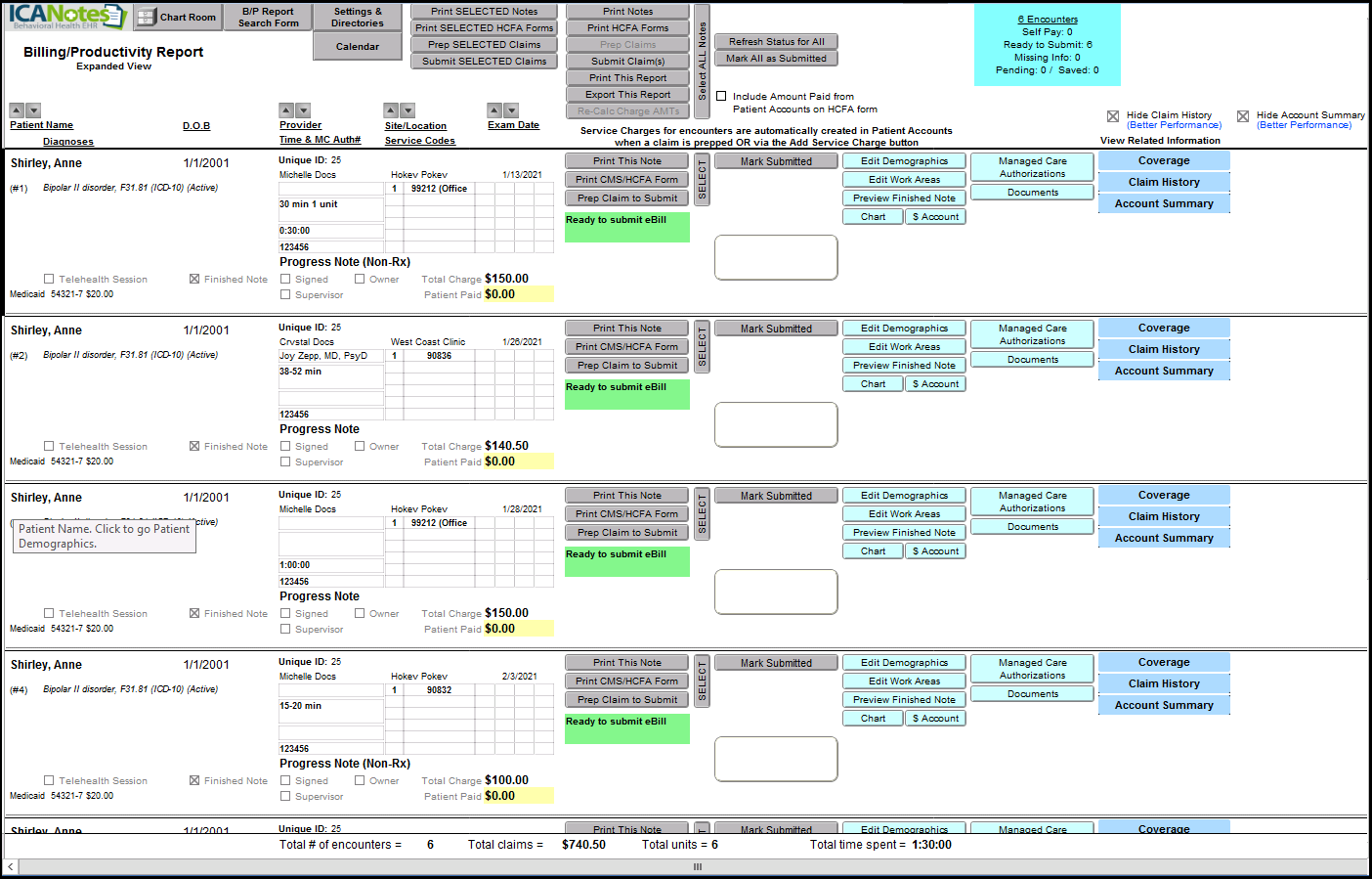
This report will show the total number of encounters at the top and bottom of the report. 
This report can be printed or exported to the Upload Site. 
Common Questions
Problem: How to Run a Medicaid Volume Report for Meaningful Use (90 days).
Solution: Follow the steps below to resolve quickly.
- Check prerequisites and permissions.
- Follow the configuration steps.
- Verify the result and retry if needed.
Related Articles
Promoting Interoperability Meaningful Use Stage 3 for Medicaid 2020
This guide offers you explanations, links, and workflows you can use to report for Meaningful Use Stage 3 for Medicaid 2020. REPORTING PERIOD AND REQUIREMENTS The reporting period for 2020: Objectives: Any consecutive 90 days in 2020. Clinical ...