Replay Clinical Decision Support Material (CDS)
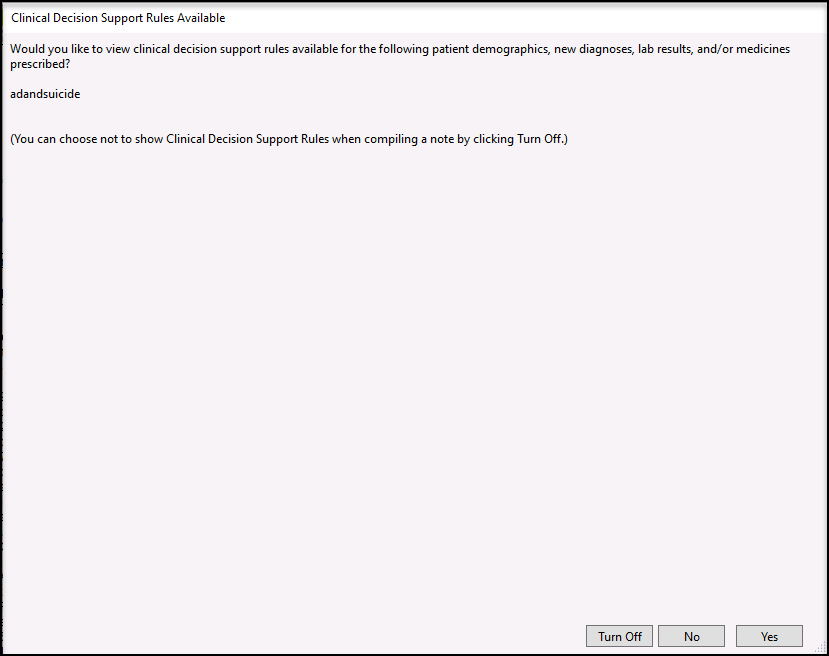
If you went through the compiled note process and did not print the Clinical Decision Support (CDS) material, you do not need to recompile. On the Finished Note screen, there is a button labeled CDS. Click the button.  A popup will populate asking if you would like to view the CDS report (exactly as you see when you first compile the note). Click Yes.
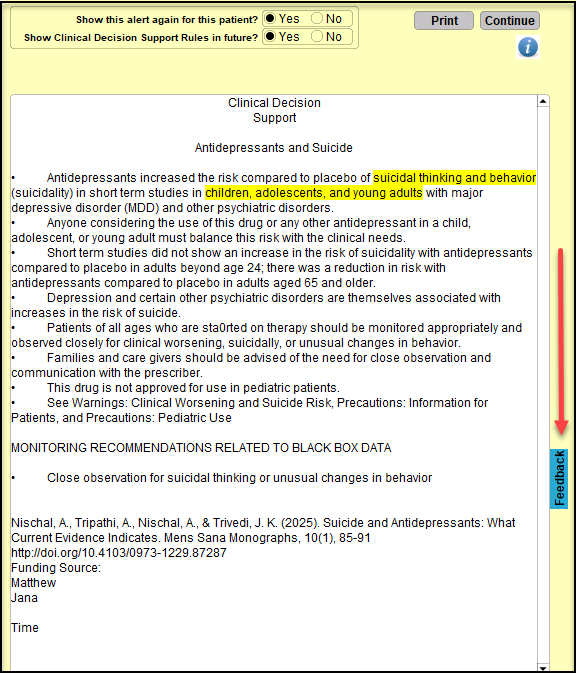
  The CDS report will show. You can click the Print button at this time to make a copy for the patient. You can also click on the Feedback button, to add any comments for the patient.
  If you choose to add feedback, once done, click Submit. You will have the option to export or print the CDS along with the feedback. The export option, will only export the Feedback entered and can be downloaded from the Upload site.
  If there is more than one CDS, it will show after the first. Click Print to make a copy for the patient.
  When you have gone through all of the Clinical Decision Support reports, you will be returned to the finished note screen.
  Watch our demonstration of the new CDS button featured on the finished note page.
Related Articles
Promoting Interoperability Meaningful Use Stage 3 for Medicaid 2020
This guide offers you explanations, links, and workflows you can use to report for Meaningful Use Stage 3 for Medicaid 2020. REPORTING PERIOD AND REQUIREMENTS The reporting period for 2020: Objectives: Any consecutive 90 days in 2020. Clinical ...